
By Stephanie Chong | 29 October 2026 | 7 min read
Key Takeaways
In This Article
An Android POS terminal in Malaysia is a smart, touchscreen payment device that accepts cards, e-wallets and QR payments, and can also run business apps, while a traditional EDC terminal is a simpler countertop unit built mainly to take card payments. If you want one portable device for payments, receipts and everyday tasks, a smart terminal usually suits you better; if you only need reliable card acceptance at a fixed counter, a basic EDC can still do the job.
This guide compares the two on features, connectivity, portability, updates, security and cost, so you can choose with confidence.
EDC stands for electronic data capture. A traditional EDC terminal reads a card, sends the transaction to the acquiring bank for authorisation, and prints a receipt, and that is broadly all it does.
These countertop units have small displays, physical keypads and, in many cases, a fixed cable connection. They are dependable for card payments, but they usually sit beside a separate cash register or POS system, so staff key the amount in twice and the two systems do not share data.
EDC terminals remain common in Malaysia because they are familiar and simple. The question for most merchants is not whether they work, but whether a single-purpose device still fits how customers want to pay today.
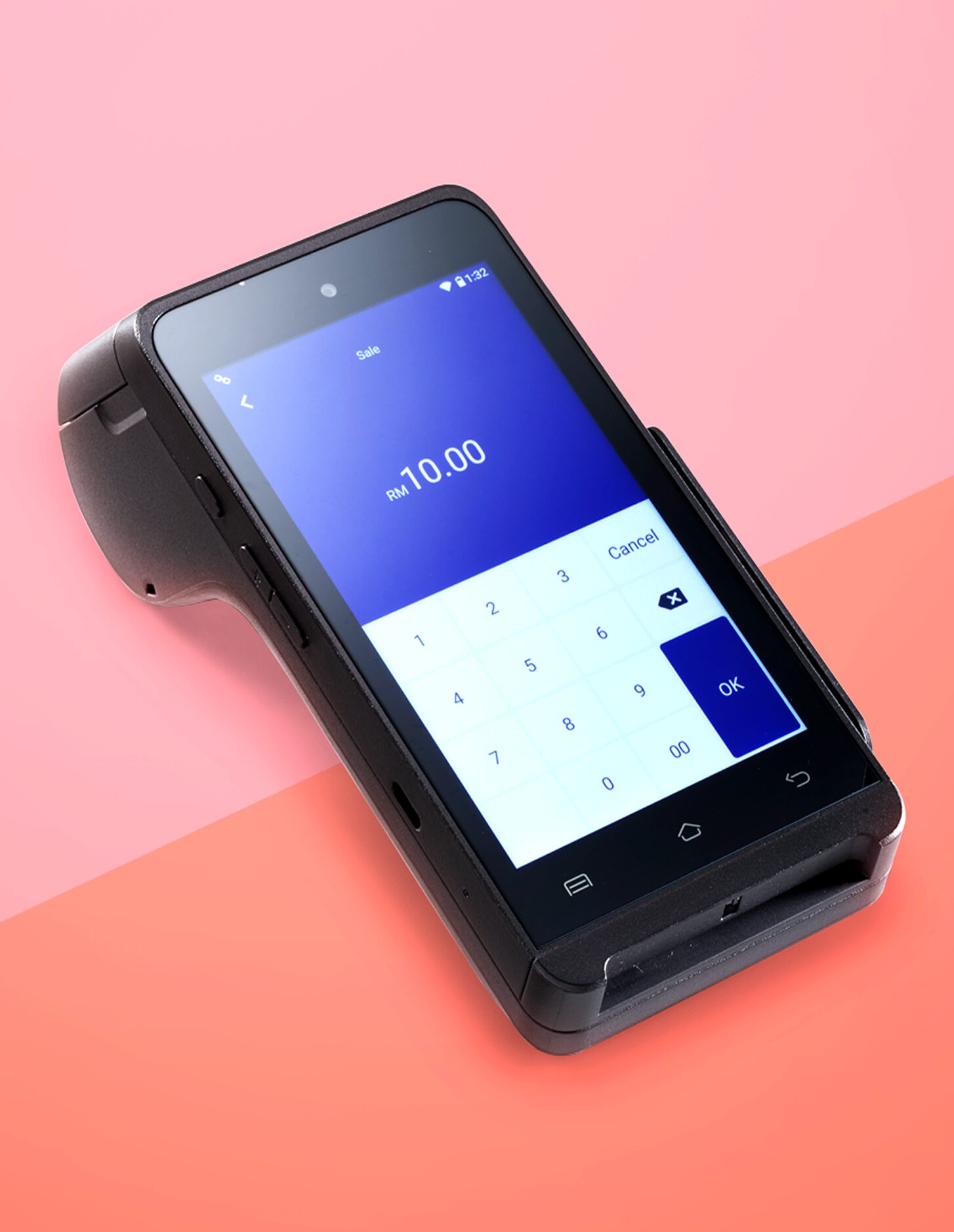
An Android POS terminal is a payment device built on a smartphone-style operating system, with a touchscreen and the ability to run apps alongside payment acceptance. In practice it behaves like a rugged, payment-certified smartphone with a card reader and, often, a receipt printer built in.
Typical capabilities include:
The result is fewer devices on the counter and fewer places for errors to creep in.
One point is often misunderstood: a payment terminal is not an open consumer phone. Providers control which apps and updates reach the device, which keeps the payment side certified and stable. Ask your provider which apps and integrations are supported before you plan your workflow around them.
The main differences are flexibility, connectivity and how much work the device can take off your staff. The table summarises the trade-offs most Malaysian merchants weigh.
| Factor | Traditional EDC terminal | Android POS terminal |
|---|---|---|
| Main purpose | Card payments | Payments plus business apps |
| Payment methods | Mainly cards; QR support varies | Cards, e-wallets and QR in one device |
| Screen and input | Small display, physical keys | Touchscreen, guided menus |
| Connectivity | Often wired; some models wireless | 4G, Wi-Fi and Bluetooth |
| Portability | Usually fixed at the counter | Handheld, goes to the customer |
| Updates | Can require manual or on-site work | Typically delivered remotely |
| Integration | Often separate from the POS | Can link with POS and other systems, depending on setup |
| Learning curve | Low for card-only use | Low, similar to a smartphone |
For a fuller buying checklist, including payment schemes, support and settlement, see our guide to choosing a POS terminal in Malaysia.
Choose by where the payment happens and how many payment methods your customers use. If payments happen away from a fixed counter, or customers often pay by e-wallet, a smart terminal is the stronger fit.
Moving from an EDC to an Android POS terminal in Malaysia is usually straightforward, but a few checks avoid surprises on day one.
Plan the changeover for a quieter trading day and keep the old terminal available until the new one has processed a full day of live transactions without issues.
Compare the total cost of running the device over time, not only the price of the hardware. Two terminals with similar upfront terms can cost very differently once fees and support are included.
Ask any provider to list every applicable charge in writing before you sign, so you can compare options on equal terms.
Yes, provided the device is certified and kept up to date. Security depends on certification, encryption and maintenance, not on whether the screen is a touchscreen.
Look for PCI compliance, EMV certification and encrypted transactions. The PCI Security Standards Council publishes a PIN Transaction Security standard for point-of-interaction devices and a listing of approved devices, which it encourages merchants and acquirers to use when selecting hardware.
Automatic updates are an advantage for smart terminals, because security fixes reach the device without waiting for a technician. Pair that with simple staff rules, such as never leaving a terminal unattended and limiting who can process refunds.
PM Advisors provides smart all-in-one POS terminals that accept debit and credit cards, e-wallets and local and international schemes, including Visa, Mastercard, MyDebit, UnionPay, Touch ‘n Go eWallet, GrabPay, Boost, DuitNow and Alipay. They connect by 4G, Wi-Fi or Bluetooth, are wireless and portable, receive automatic updates, and come with PCI compliance, EMV certification and encrypted transactions.
We also advise whether you need a new terminal or an integration with your existing POS. To compare options for your outlets, tell us how and where you take payments and we will recommend a setup.
A traditional EDC terminal is a countertop device built mainly to take card payments and print receipts. An Android POS terminal is a smart, touchscreen device that accepts cards, e-wallets and QR payments, connects by 4G or Wi-Fi, receives remote updates and can run business apps. The smart terminal does more jobs in one device, while the EDC focuses on card acceptance.
Most smart terminals are designed to accept cards, e-wallets and QR payments in one device, but the exact methods depend on your provider and acquirer. PM Advisors’ terminals accept Visa, Mastercard, MyDebit, UnionPay, Touch ‘n Go eWallet, GrabPay, Boost, DuitNow and Alipay. Confirm the full list with any provider before you sign up.
Yes, when it is properly certified and maintained. Look for PCI compliance, EMV certification and encrypted transactions, and check that the device receives regular software updates. Security depends on certification and maintenance rather than on the operating system or screen type, so a certified smart terminal can be as secure as a traditional countertop unit.
Not necessarily. Many smart terminals support 4G as well as Wi-Fi and Bluetooth, so they can work where there is no reliable Wi-Fi, such as car parks, outdoor events or delivery stops. Using Wi-Fi at the counter with 4G as a backup is a sensible setup for businesses that cannot afford downtime during busy periods.
Consider switching if staff key amounts in twice, customers ask to pay by e-wallet, you need to take payment away from the counter, or your terminal needs frequent manual updates. If almost all customers pay by card at one fixed counter and your current setup works well, a basic EDC may still be adequate. An advisor can review your situation.
About the author: Stephanie Chong
Stephanie Chong writes for PM Advisors on payments, merchant operations and cashless commerce in Malaysia. Her guides turn payment topics such as POS terminals, online payment gateways, e-vouchers and reconciliation into practical steps that business owners can act on.